
Envision runs regular online chess tournaments for students inside the portal. Open Class Tools → Tournaments, choose an upcoming event, press Join tournament, and come back at the start time to play. Events are arena (play as many games as you can in a fixed time) or Swiss (a set number of rounds, one opponent per round). Results feed the academy leaderboard. This guide shows each step on a computer and on a phone.
Tournaments are where lessons turn into results. Playing other students under a clock teaches time management, nerves and fighting spirit in a way no puzzle can, and it is the natural step before rated over-the-board events; our guide to getting a FIDE rating in India explains what comes after.
Step 1: Find a tournament
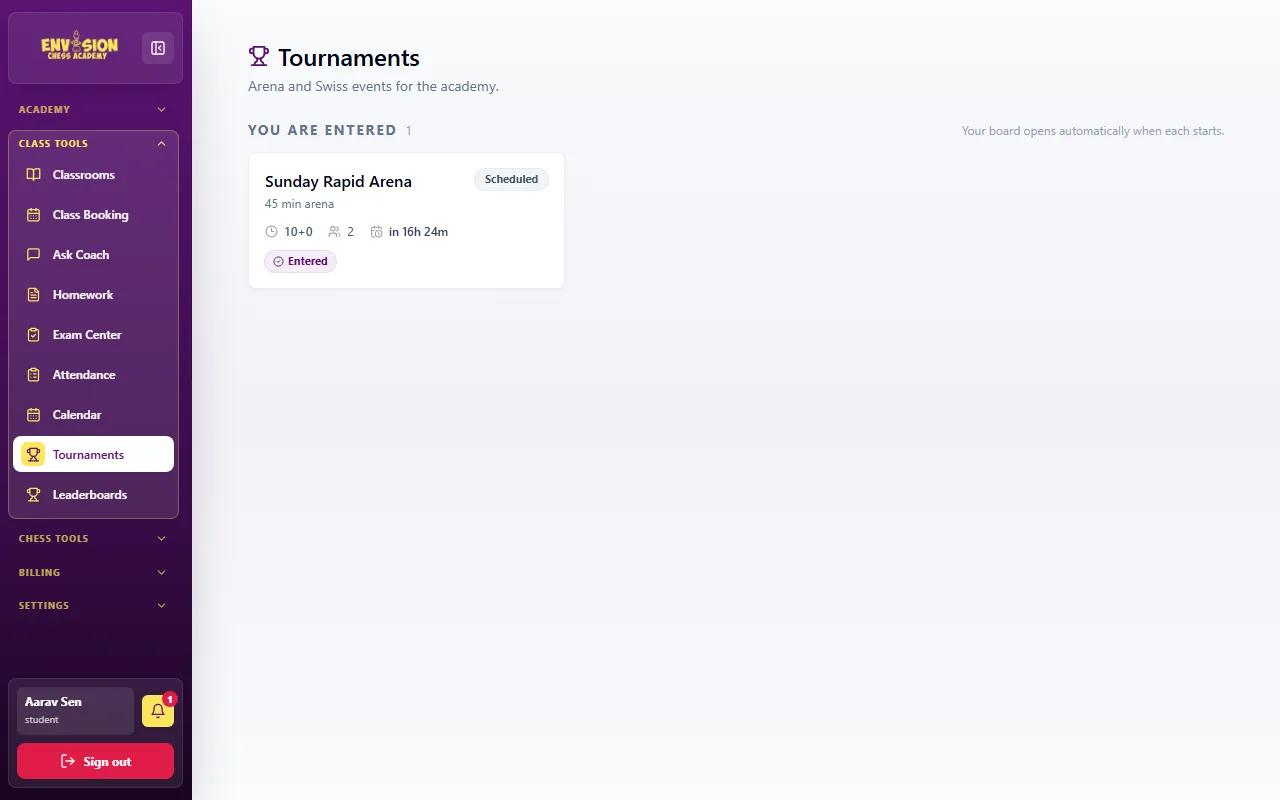
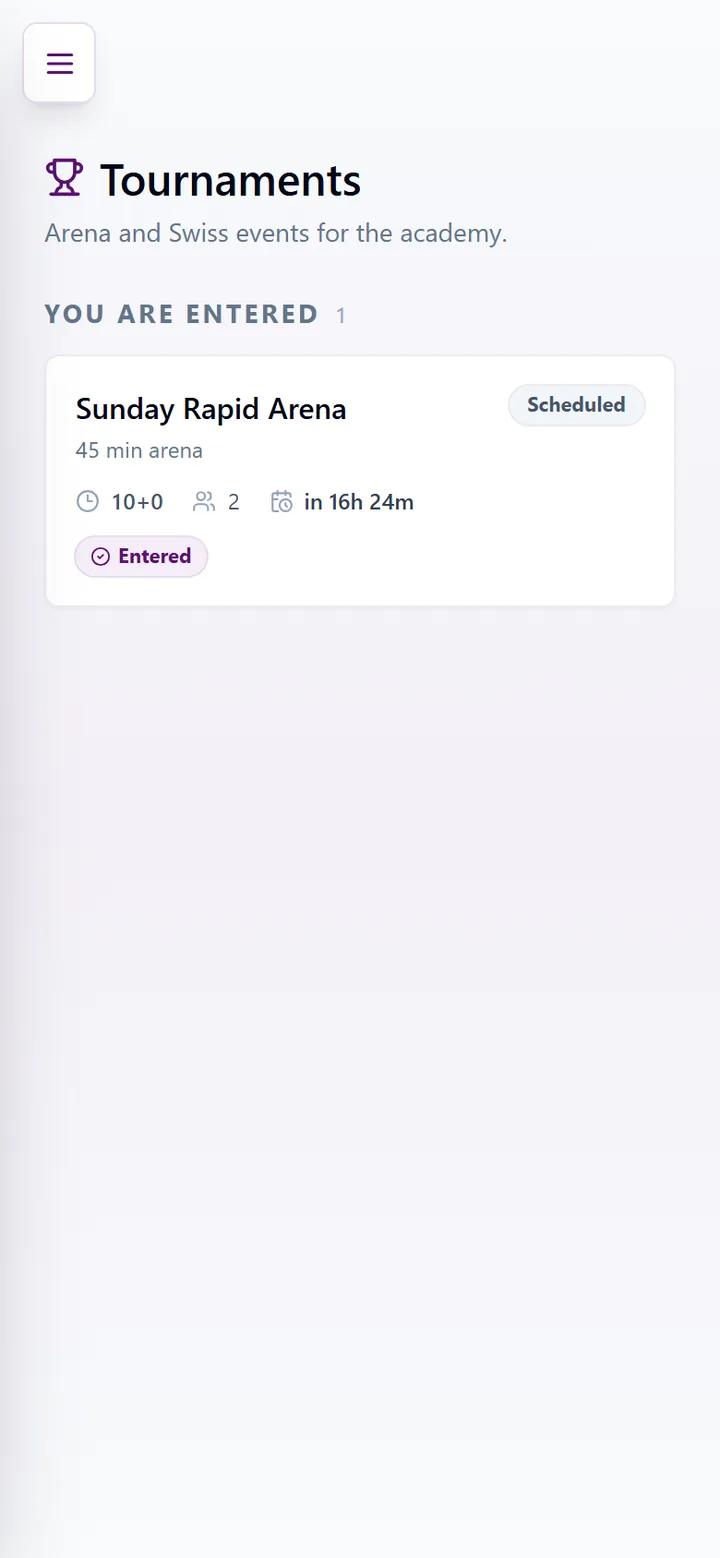
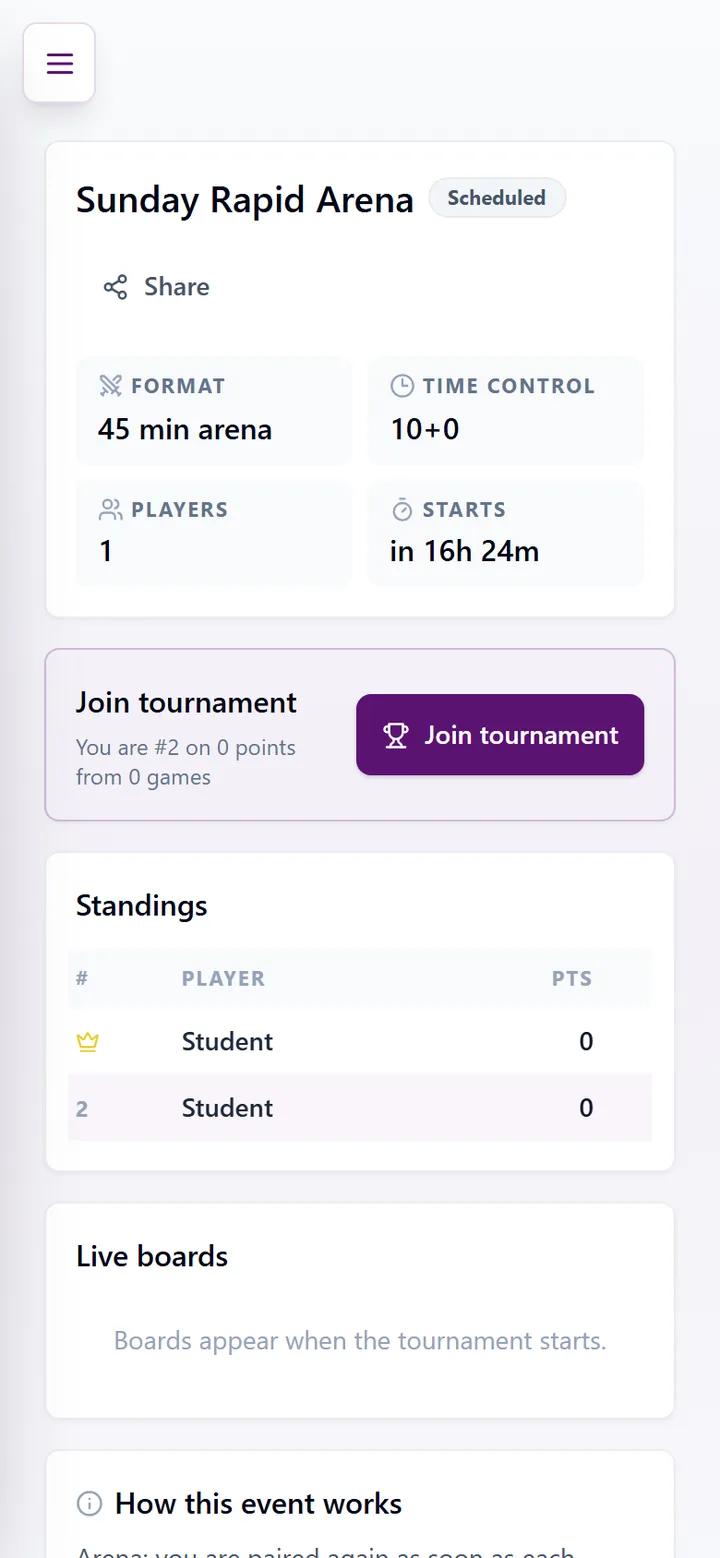
Go to Class Tools → Tournaments. Upcoming events are listed with their name, format, time control (for example 10+0: ten minutes each, no increment), the number of players who have joined and how long until the start. Tournaments also appear on your calendar and dashboard, and the bell reminds you before they begin.
Step 2: Open it and join
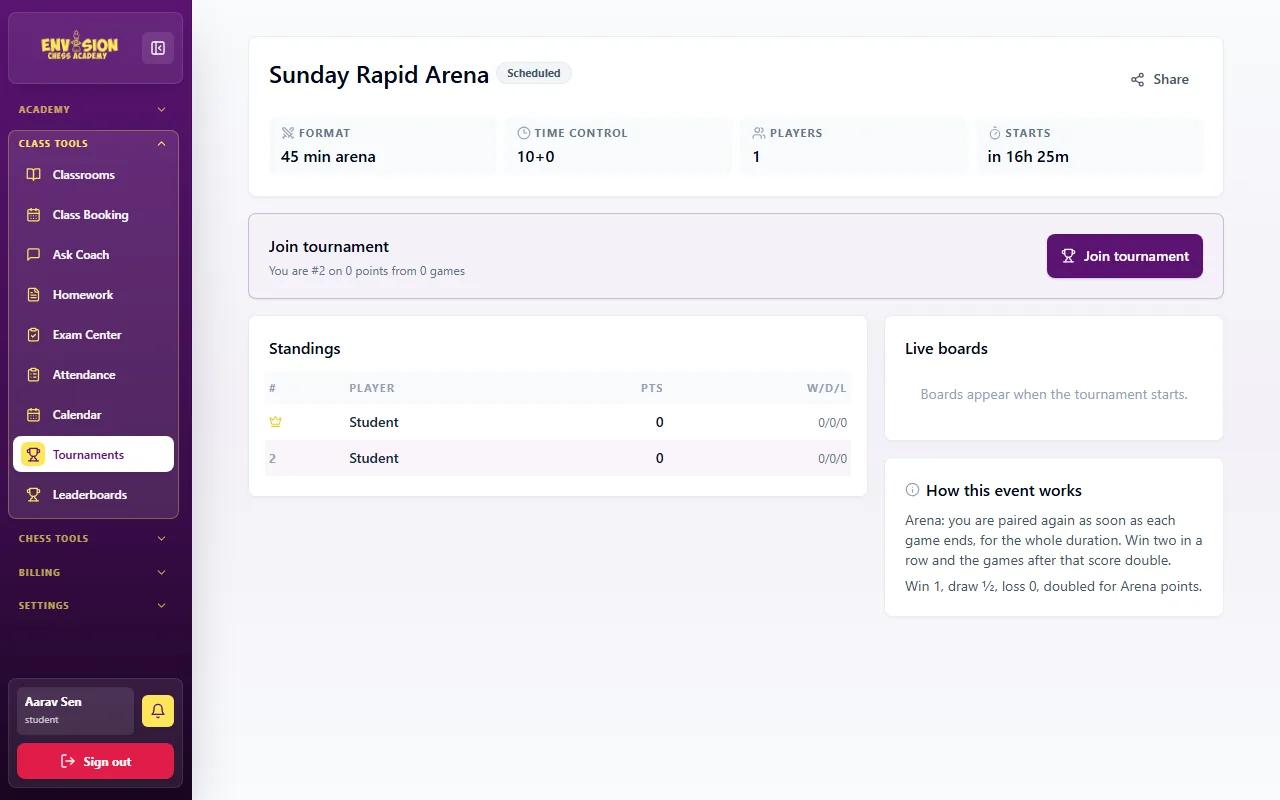
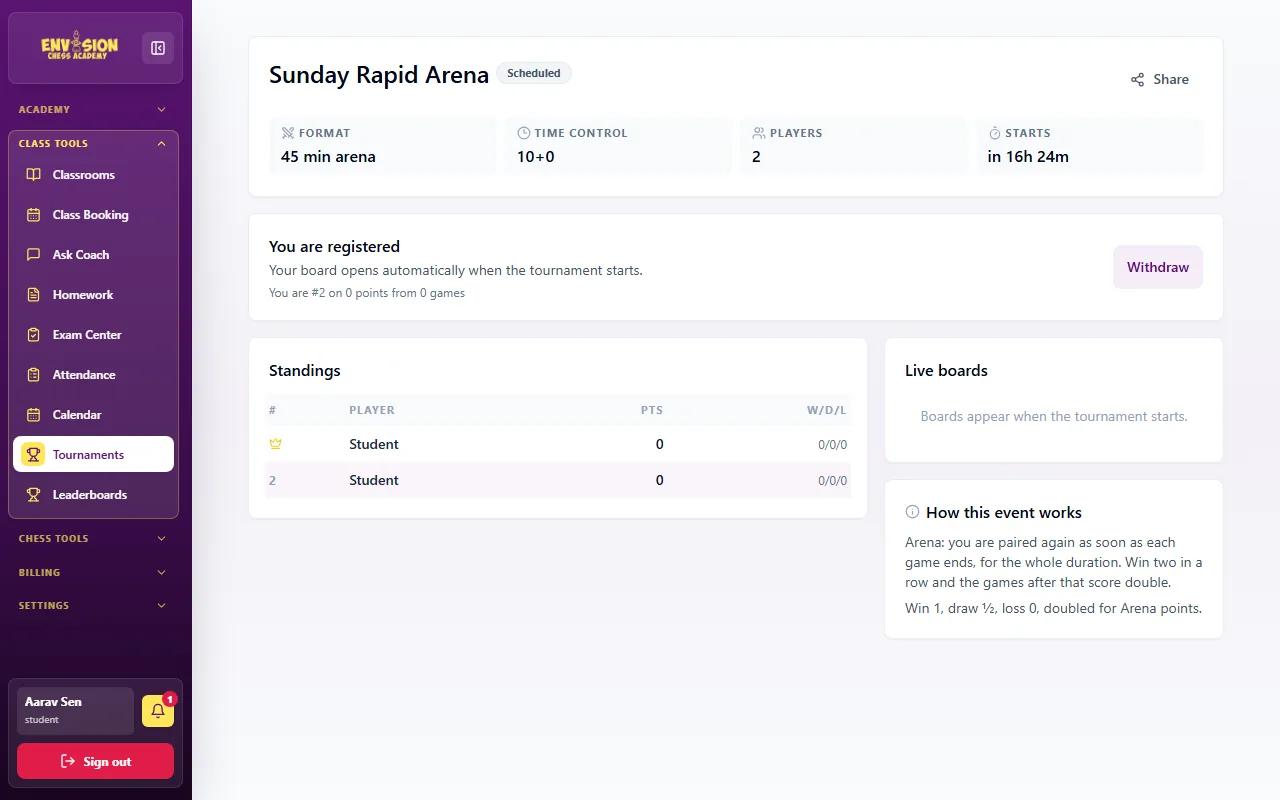
Open the tournament to see its format, time control, players and start time, and a short explanation under How this event works. Press Join tournament to enter. Joining early is best, but most events also allow late joining while they are running. Standings and live boards appear once the first games start.
Arena or Swiss: how the formats work
| Arena | Swiss | |
|---|---|---|
| Length | A fixed time, such as 45 minutes | A fixed number of rounds |
| Pairing | A new opponent as soon as your game ends | One opponent per round, against players on a similar score |
| Scoring | Points per win; win two in a row and the following games score double | 1 for a win, ½ for a draw, 0 for a loss |
| Good for | Fast, fun events with lots of games | Serious practice, closest to over-the-board events |
Step 3: Play your games
- Be on the tournament page a few minutes before the start, on a computer or tablet with a steady connection.
- When you are paired, your game opens. Play your moves on the board; the clocks show both players' time.
- Watch your clock. In a 10-minute game, a player who runs out of time loses even with a winning position.
- Behave as at a real event: no help from others, no engines, and a friendly result whatever happens.
- After the event, look at your games again, ideally with your coach, to find the turning points.
Step 4: Follow the leaderboard
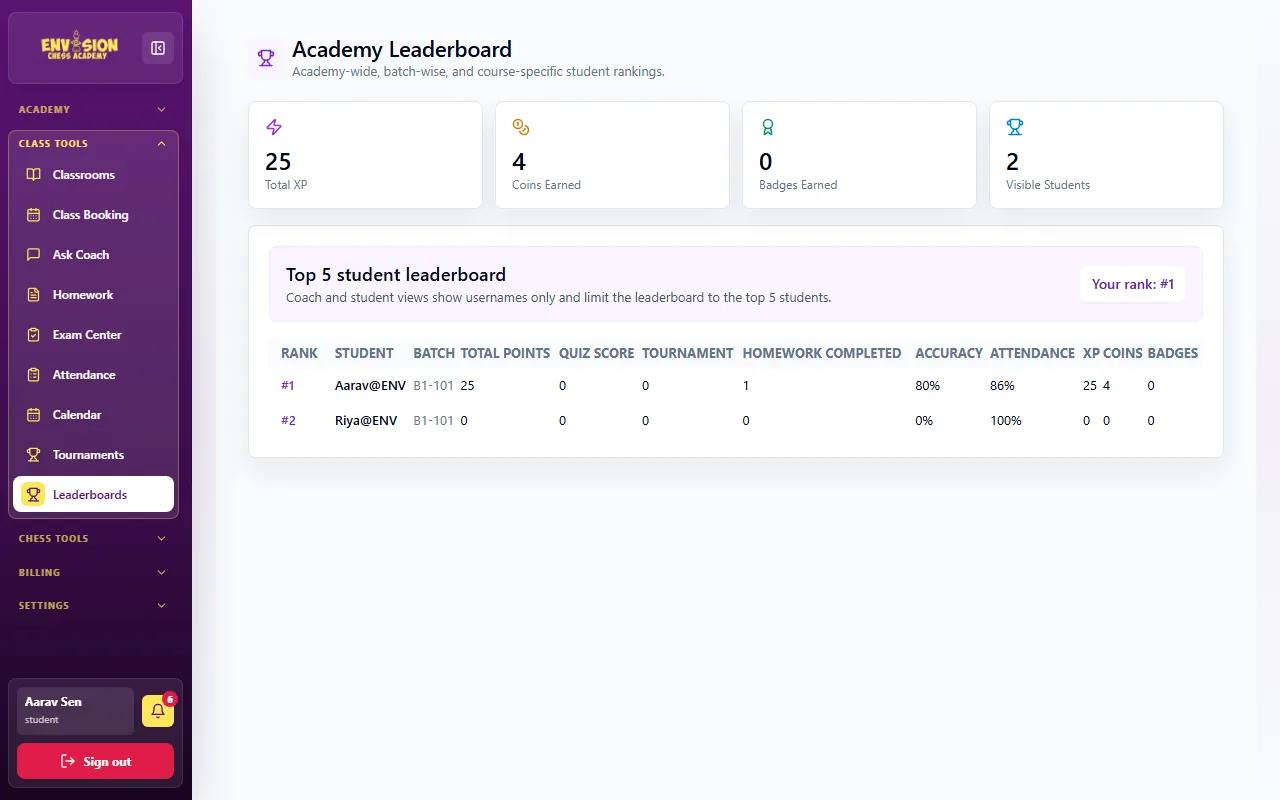
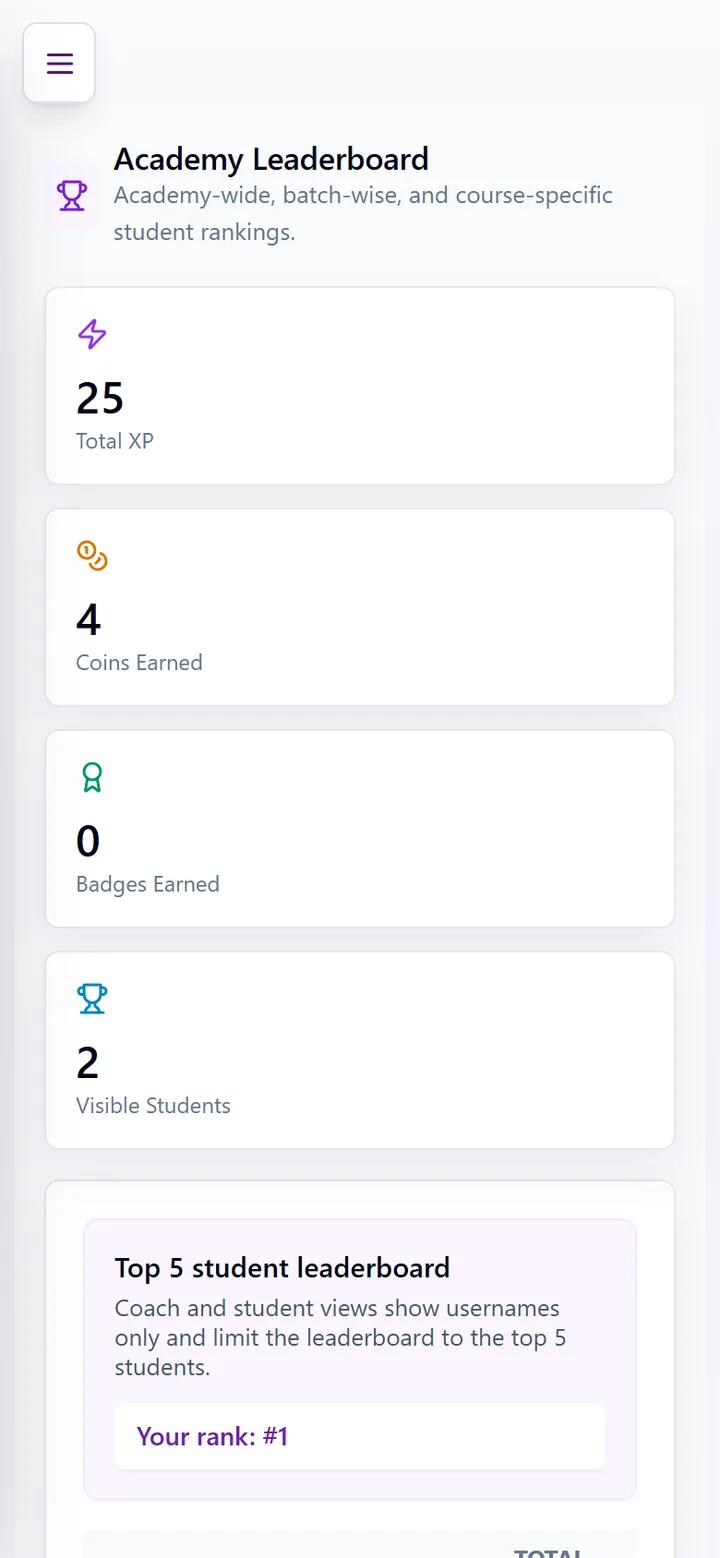
Class Tools → Leaderboards ranks students by total points, combining tournament results with quiz scores, homework, accuracy and attendance, plus XP, coins and badges earned in practice. Students see the top five and their own rank, shown by user ID only. It rewards steady effort across everything, not just tournament wins.
Fair play and tournament manners
Online events only work when everyone plays their own games. The same rules apply as at an over-the-board tournament, and coaches look at results that do not fit a player's usual level.
- Play alone. No help from parents, friends or siblings during a game, however tempting a hint might be.
- No engines or analysis boards while a game is running. Analyse afterwards, as much as you like.
- Stay until the end. Leaving a game halfway loses it on time, and in an arena it costs points too.
- Be a good sport. Wins and losses are both part of chess. A quick "good game" in your head, and on to the next one.
Your first tournament: what to expect
Most children feel nervous the first time, and most lose a game or two. That is normal and useful: the point of the first few events is to get used to the clock, to playing someone you cannot see, and to starting the next game straight after a loss. By the third or fourth tournament the nerves fade, and the games start to show what was learned in class. Tell your coach how it went; they often pick an example from a student's tournament game for the next lesson.
For parents: getting the most from tournaments
Encourage one tournament a week rather than many. Talk about effort and good moves rather than the score, and let the coach use the games in class. Children who play regularly lose their nerves quickly, and many go on to rated events. Tournaments are part of every Envision course, from the beginner chess course upwards.
Frequently asked questions
Who can join Envision tournaments?
Each tournament says who it is for: usually all active students, or particular batches or levels. Eligible tournaments appear on your Tournaments page.
What does 10+0 mean?
Each player has 10 minutes for the whole game and no extra time is added per move. 3+2 would mean 3 minutes plus 2 seconds per move.
Can my child join after the tournament has started?
In most arena events, yes: late joining is allowed while the event runs, and the player is paired as soon as they join.
What if my child loses most games in the first tournament?
That is normal. The first few events are about getting used to the clock and to playing other students. Results usually improve by the third or fourth tournament.
Do tournament results count anywhere?
They count on the academy leaderboard. Academy tournaments are not FIDE-rated; rated events are played over the board.