
Every Envision family can book a parent-teacher meeting (PTM) with their child's coach from the PTM page of the student portal. Each student has 12 PTM credits a year. You choose the coach, a preferred date and time and what you want to discuss; the academy confirms the final time and sends a Google Meet link. You join from the PTM page, from 10 minutes before the meeting. This guide shows each step on a computer and on a phone.
A PTM is the right place for questions a monthly report cannot answer: why progress has slowed, whether your child is ready for tournaments, how to balance chess with exams, or which level comes next. For a quick question about one homework, a message on Ask Coach is faster.
How PTM credits work
| Rule | Detail |
|---|---|
| Credits | 12 per student each year, from 1 October to 30 September (India time) |
| Requesting | A request holds one credit while it waits |
| Scheduling | A scheduled meeting uses the credit, including if nobody joins |
| Returned | A rejected or cancelled request gives the credit back |
| Gap | At least 30 days between meetings; the page shows the next date you can book |
| Pending | Only one request can be waiting at a time |
Your remaining credits also show on the dashboard as PTM credits, so you always know how many are left.
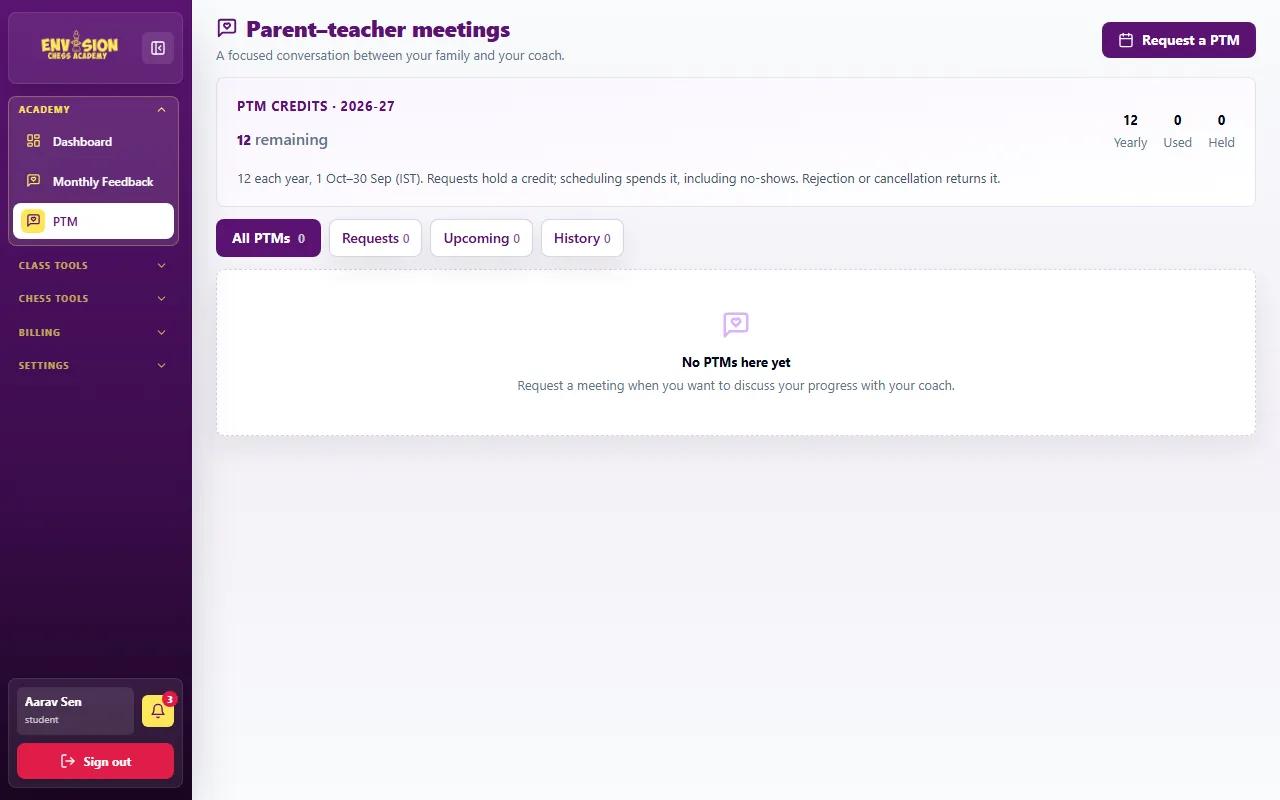
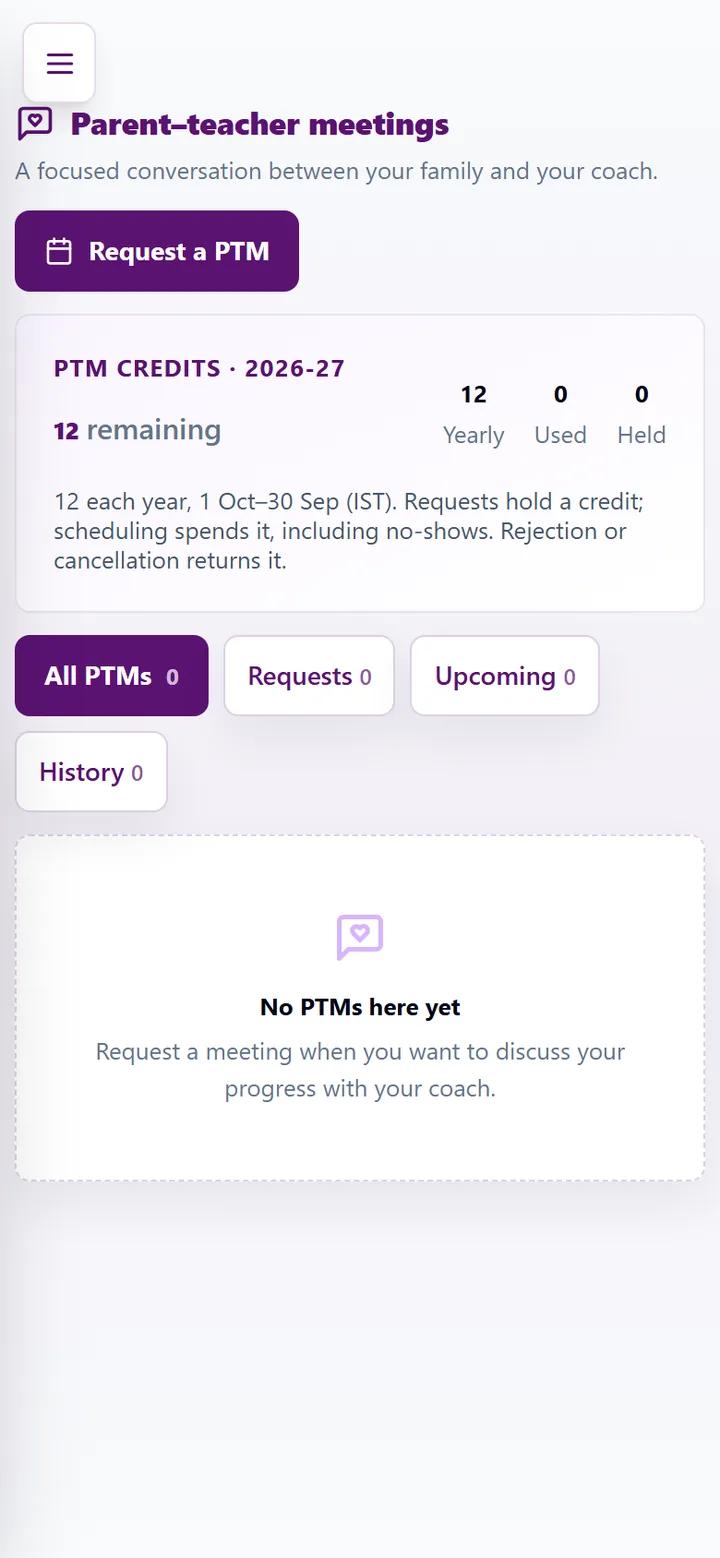
Step 1: Request a PTM
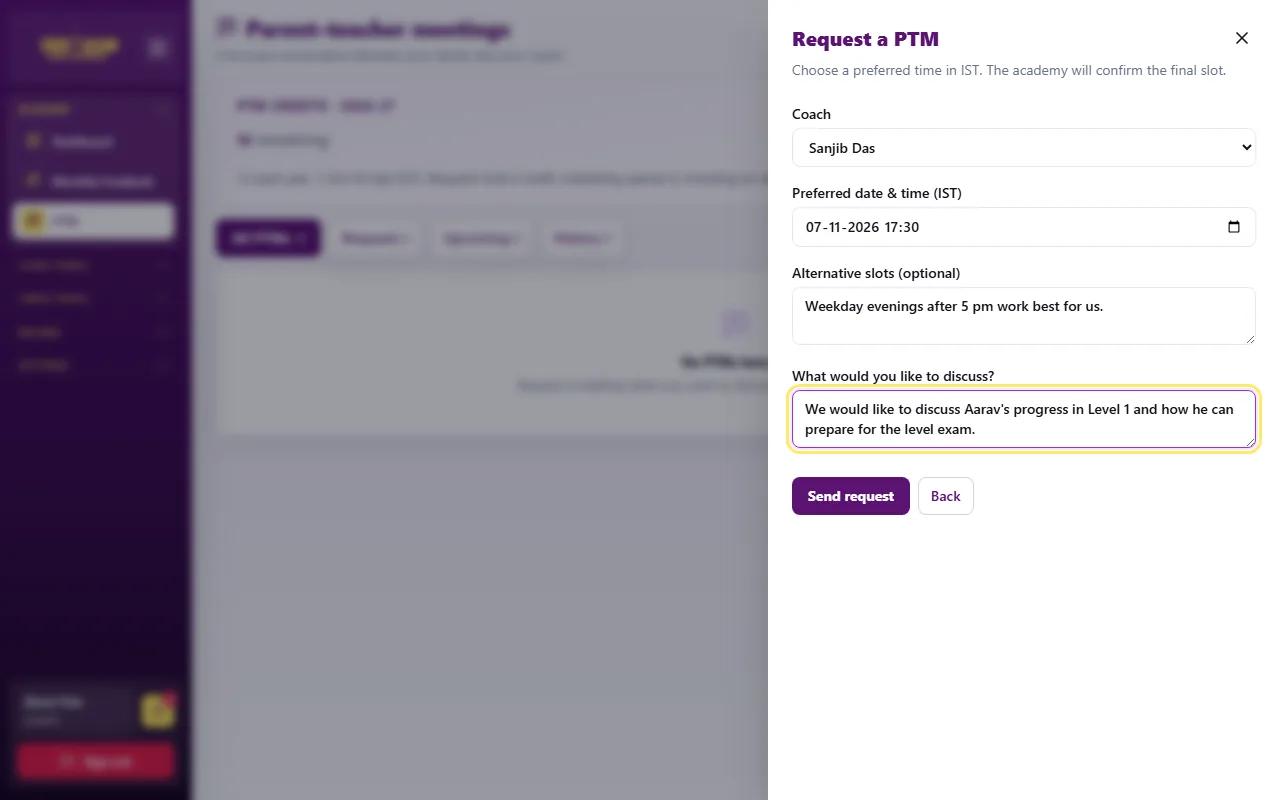
- Open Academy → PTM in the menu and press Request a PTM.
- Choose the coach. If your child learns with more than one coach, each appears in the list.
- Pick a preferred date and time (India time). The academy confirms the final slot.
- Optionally add alternative slots, such as "weekday evenings after 5 pm".
- Write what you would like to discuss (at least 10 characters). A clear topic helps the coach prepare examples from your child's games and homework.
- Press Send request.
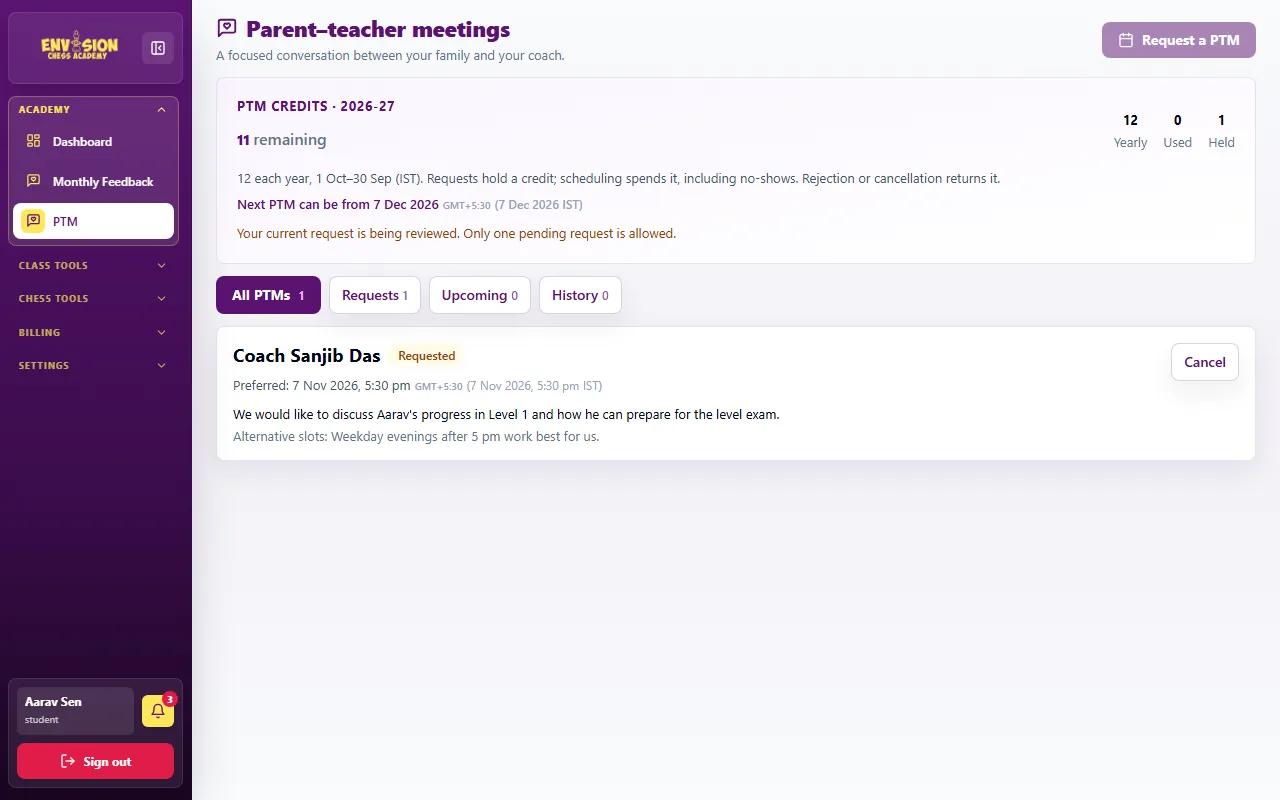
Step 2: Wait for confirmation
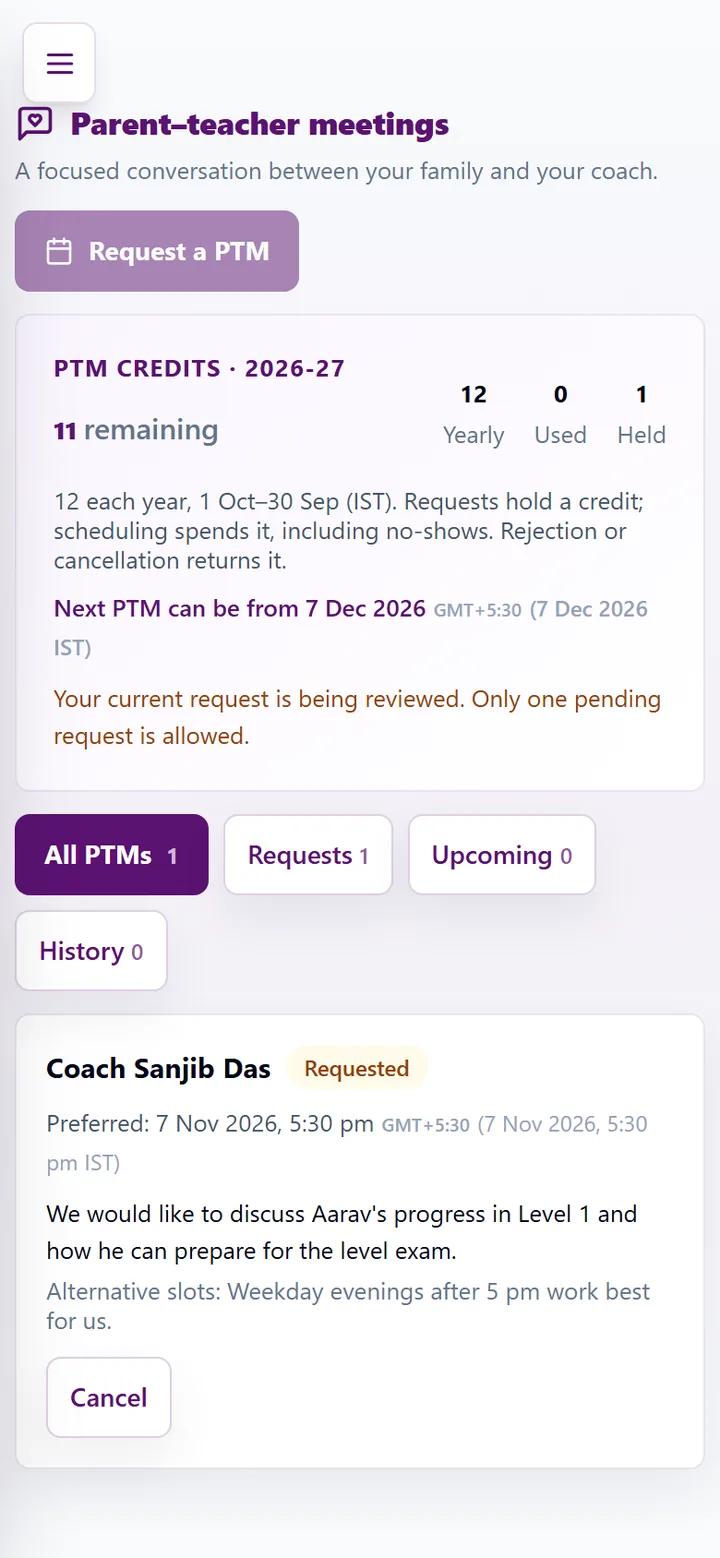
The request now shows as Requested under the Requests tab, with your preferred time and topic, and one credit is held. The page also shows when your next PTM can be after this one. While it is still a request you can Cancel it and get the credit back. Next, the coach approves it and the academy schedules it; if the coach cannot take it, it is rejected with a reason and the credit returns.
Step 3: Your meeting is scheduled
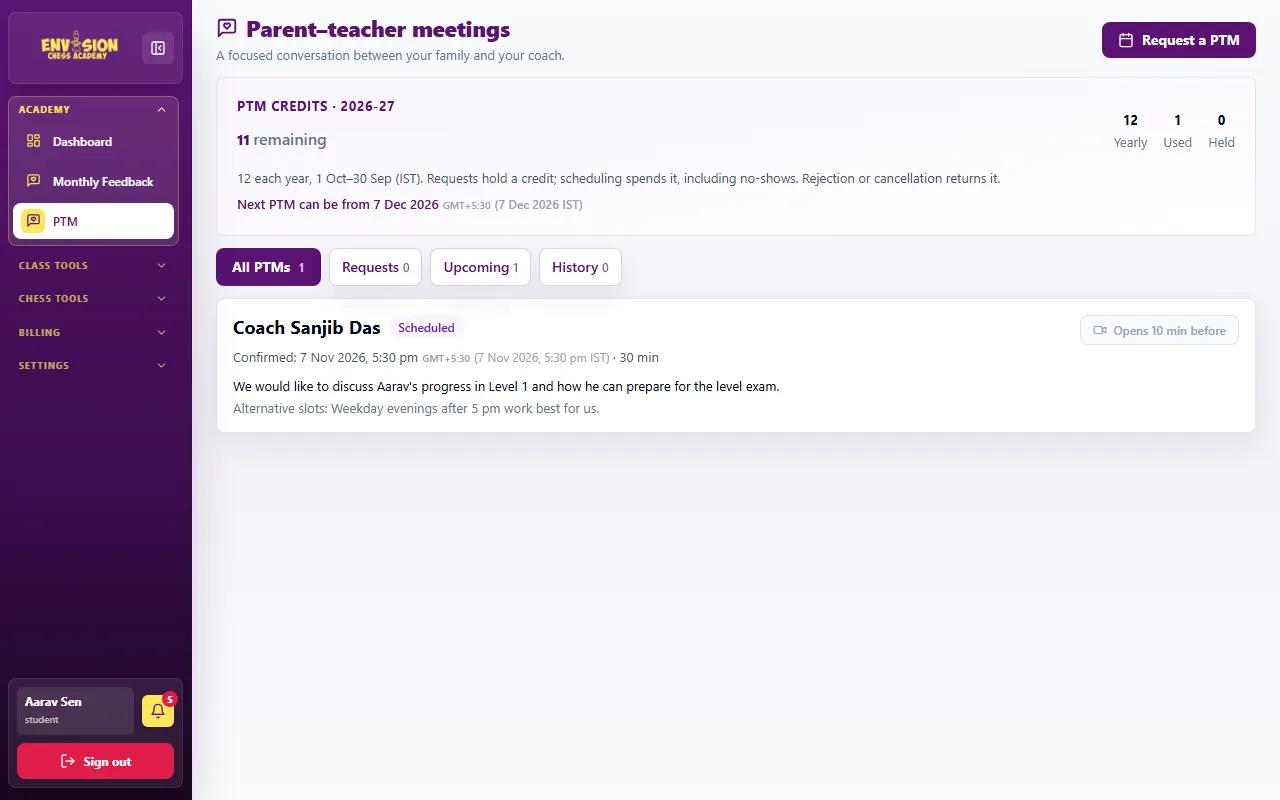
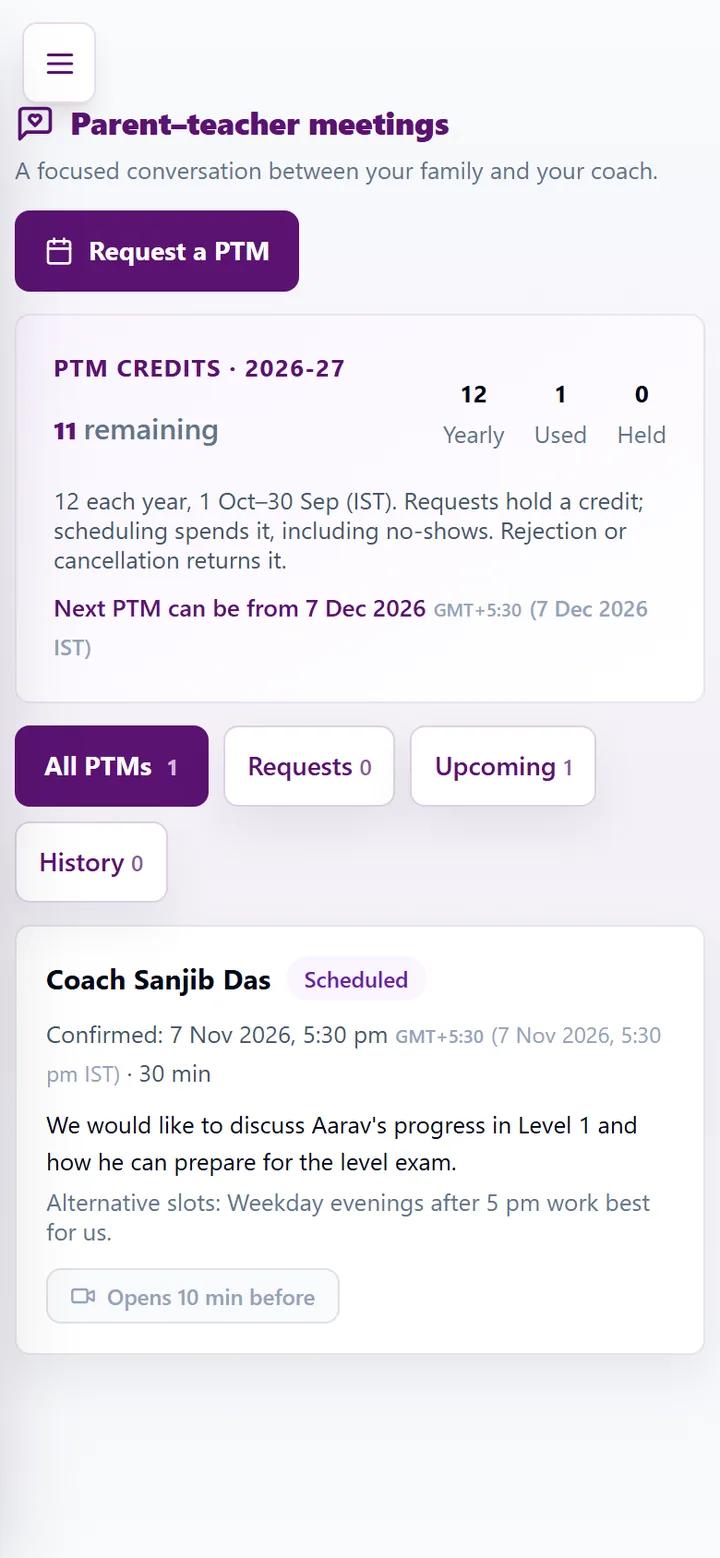
Once it is scheduled, the meeting moves to the Upcoming tab with the confirmed date and time (India time), and you receive a notification and an email. If it is moved later, the page and the email show the new time. Add it to your calendar straight away.
Step 4: Join the meeting
On the day, open the PTM page. The Join button appears 10 minutes before the start time and stays available until an hour after the meeting ends. It opens the Google Meet room the academy set up, so you never need to hunt for a link in your inbox. Join from a quiet room, and have your child nearby if you want the coach to speak to them too.
Bring two or three specific questions. Good ones: "What should we practise at home?", "Which mistakes keep repeating in games?" and "Is our child ready for the next level or a rated tournament?". The latest monthly report (see our guide to progress reports, credits and invoices) is a useful starting point.
How to prepare for the meeting
The coach prepares using your child's attendance, homework results, exam scores and recent games. You can help the meeting go further by doing three things beforehand: read the latest monthly report, look at the homework results together with your child, and write down the questions that matter most to you. Thirty minutes passes quickly, so start with the most important question.
Afterwards, write down the two or three things the coach suggested and agree them with your child. Most coaches will follow up in class, and the next monthly report usually shows whether the plan is working.
Step 5: Share your feedback
After the meeting, the PTM page asks for short feedback: how useful the meeting was, how prepared the coach was and how clear the advice was, plus any comments. It takes a minute and helps the academy keep every coach's meetings useful.
When to book a PTM
- After the first month, to agree goals with the coach.
- Before the end of a level, to plan for the level exam and the next course.
- Before school exams, to agree a lighter practice plan.
- When something has changed: motivation has dipped, results have stalled, or your child wants to start tournaments.
Choosing the right coach matters as much as meeting them; our guide on how to choose a chess coach covers what to look for.
Frequently asked questions
How many PTMs can we book in a year?
Each student has 12 PTM credits per year, from 1 October to 30 September. There must be at least 30 days between meetings.
Do we lose a credit if we cancel?
No. Cancelling a request, or the coach rejecting it, returns the credit. A scheduled meeting uses the credit even if nobody joins.
How do we join the meeting?
Open the PTM page on the day. The Join button appears 10 minutes before the start and opens the Google Meet room.
How long is a PTM?
Most meetings are booked for 30 minutes. The confirmed length is shown on the PTM page with the date and time.
Can we request a time outside class hours?
Yes. Choose your preferred time and add alternatives. The academy confirms a time that works for both the family and the coach.